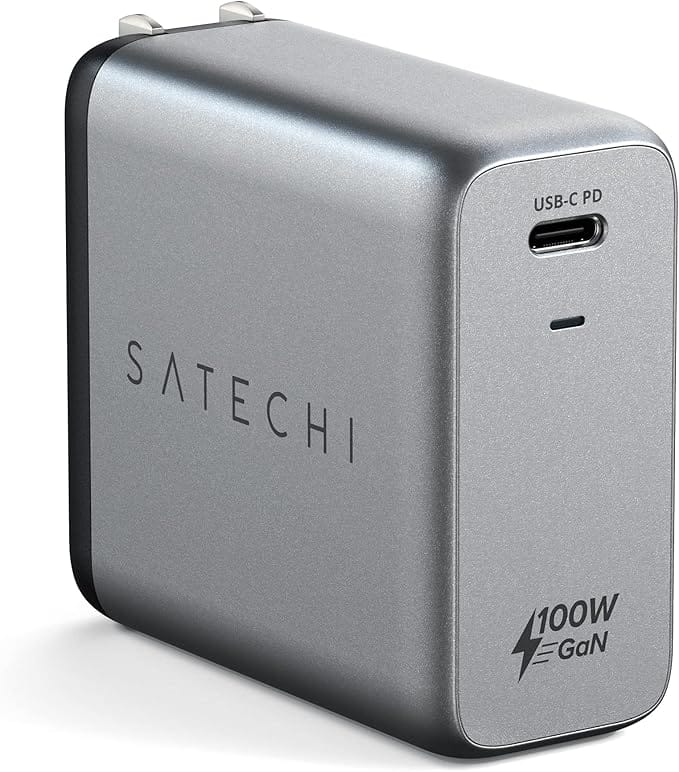

You and I ask a lot from a single wall charger now. Your MacBook needs serious wattage, your iPad wants USB-C fast charging, your iPhone is bouncing between work calls and StandBy mode, and somehow a tiny white brick is supposed to keep up with all of it.
A good 100W USB-C charger is one of those behind-the-scenes upgrades that quietly makes your whole Apple setup feel easier. You get faster top-ups on your Mac, fewer random “low battery” moments on your iPhone, and a cleaner travel kit because one brick can handle almost everything.
In this guide, I’ll walk you through what actually matters when you are choosing a 100W USB-C charger, then we will look at a few options that hit the right balance of size, power, and ports for a Mac-first life.
Note: I could not access the Next Level Mac RSS feed or posts sitemap in this environment, so 30-day topic uniqueness for this article could not be confirmed.
Affiliate disclosure: some links in this article are Amazon Associate links. If you buy through them, Next Level Mac may earn a small commission at no extra cost to you, and we only recommend products that genuinely bring value to your Apple setup.
Why 100W is the sweet spot for most Apple setups
When you are using a recent MacBook Air or a 14-inch MacBook Pro, 100 watts is a really comfortable ceiling. It is high enough to:
- Fast-charge a MacBook Pro while you are actually working on it.
- Keep a MacBook Air topped up even with external monitors or a bunch of apps open.
- Charge an iPad Pro and an iPhone alongside your Mac without everything slowing to a crawl.
It is also a wattage you will find across a lot of third-party GaN chargers now, which helps keep prices reasonable and designs compact. You do not need to jump to 140W unless you are running a 16-inch MacBook Pro at full tilt and absolutely need Apple’s own peak charging curve.
For everyday use, 100W gives you headroom without carrying a brick that feels like a literal brick.
What to look for in a 100W USB-C charger
Before you pick a specific model, it helps to have a short checklist. Here is what I pay attention to.
- Port layout
Ask yourself how you actually charge things.
- One device at a time, mostly the Mac? A single-port 100W brick can be slimmer and lighter.
- Mac + iPhone + iPad all together? Look for at least two USB-C ports, ideally three total ports.
The tricky part is understanding that most multi-port chargers share that 100W. Plug in more devices and each one gets a smaller slice. The better designs show a clear breakdown, like 65W + 30W when two ports are in use, instead of a vague “up to 100W.”
- GaN and size
GaN (gallium nitride) chargers are smaller and run cooler than old-school silicon bricks at the same power level. At 100W, you really want GaN. It is the difference between something that disappears in a backpack and something that eats half your laptop sleeve. - Foldable prongs
Foldable wall prongs matter more than you think. They keep the charger from scratching other gear in your bag and make it easier to plug into tight outlet spots behind furniture or in airport lounges. - USB-C Power Delivery and PPS
For a modern Apple setup, you want:
- USB-C Power Delivery (PD) for fast charging Mac, iPad, and iPhone.
- PPS (Programmable Power Supply) is a nice bonus if you occasionally charge things like Samsung phones or certain accessories, but for Apple gear, PD is the main requirement.
- Cable strategy
Most high-wattage chargers do not include a cable. I like to pair a 100W brick with one or two 100W-rated USB-C to USB-C cables and keep a separate USB-C to Lightning cable in a small pouch if I’m still carrying older accessories.
Now let us look at a few charger picks that work well with Mac, iPad, and iPhone.
Option 1: Compact 100W single-port charger for focused Mac use
Sometimes you just want one small brick that specializes in feeding your MacBook as fast as possible. If you usually charge other devices from a separate hub or your Mac’s ports, a single-port 100W charger is the cleanest pick.
A 100W single-port GaN charger gives your Mac the entire power budget. You plug in once and do not have to think about power sharing logic or which port is the “main” one.
This is where to buy the Anker 317 Charger (100W) single-port GaN wall charger for high-speed Mac charging (Amazon Affiliate Link): https://www.amazon.com/dp/B0D84YX465?tag=nextlevelmac-20&gbOpenExternal=1
This style of charger works well if:
- You are mostly using a MacBook Pro or Air and only occasionally plug in an iPad or iPhone somewhere else.
- You prefer to keep a dedicated Mac charger at your desk and a second one in your travel bag.
- You do not want a heavy, multi-port brick dangling from a loose airport outlet.
You can pair it with a good 100W USB-C cable and call it a day.
Option 2: 3-port 100W charger for Mac + iPad + iPhone together
For most Apple fans, the more realistic scenario is that you have at least three devices in play:
- A MacBook (Air or Pro).
- An iPad or another laptop.
- An iPhone that always needs “just a bit more” battery.
That is where a compact 3-port 100W charger earns its place. It lets you pack a single brick that can:
- Give your Mac around 60–65W while you work.
- Feed your iPad or a second device at 30W.
- Top up your iPhone at 20W on the remaining port.
The exact split depends on the design, but the idea is the same: you get one “main” high-power USB-C port and at least one or two side ports for everything else.
Use this link to get a 3-port 100W GaN USB-C charger that is small enough for travel yet powerful enough for your Mac, iPad, and iPhone (Amazon Affiliate Link): https://www.amazon.com/dp/B0D7LT4QZQ?tag=nextlevelmac-20&gbOpenExternal=1
A charger in this class is great for:
- Hotel nights when every outlet is in the wrong place.
- Coffee shop work sessions where you only want one thing plugged into the wall.
- A living-room “charging corner” where everyone’s devices seem to pile up.
With a 3-port 100W brick, I like to keep a short USB-C cable for the iPhone so it can rest on a stand or MagSafe puck, and a longer USB-C cable for the Mac so you are not stuck sitting right next to the outlet.
Option 3: Slim 100W charger that doubles as a desk and travel brick
Some people prefer a slimmer charger that can live in one place most of the time and also move easily between home and office or studio. In that case, you want something that:
- Sits cleanly on a power strip under your desk.
- Drops into a tech pouch without taking over.
- Offers enough ports (usually two) to cover your daily carry.
A slim 100W USB-C charger with two USB-C ports can be a neat middle ground. One port handles the Mac, the other handles either an iPad or an iPhone, and you keep a separate smaller brick in your bag for truly mobile days.
Where you can purchase a slim dual-port 100W USB-C GaN charger that balances desk use and travel (Amazon Affiliate Link): https://www.amazon.com/dp/B0CPP54RTY?tag=nextlevelmac-20&gbOpenExternal=1
This type of charger works well if:
- You mostly charge at one main “home base” and only sometimes need to uproot your desk.
- You prefer a flatter profile to fit behind furniture or in a cable tray.
- You already have a smaller 30W or 35W charger in your laptop sleeve and just want a stronger “home” unit.
How to decide which charger style makes the most sense for you
When you are staring at a wall of almost identical-looking black and white bricks, it helps to zoom out from specs and think through a normal week.
A few quick questions to ask yourself:
- Where do you charge your Mac most often?
- Mostly at a desk → a multi-port 100W charger makes sense.
- Mostly out and about → a compact single-port 100W charger is easier to live with.
- How often are you charging three things at once?
- All the time → prioritize a 3-port option.
- Rarely → you can probably get away with one or two ports and keep a spare small charger nearby.
- Do you care more about absolute size or fewer bricks?
- Want the smallest possible brick → single-port 100W.
- Want fewer total pieces of gear → 3-port 100W and a couple of cables.
- How sensitive are you to outlet space?
- Using crowded power strips or floor boxes → look at slim chargers with foldable prongs.
- Using wall outlets with space around them → a slightly taller cube is fine.
Once you answer those, the right style usually becomes pretty obvious.
A simple cable setup to go with your new charger
Chargers get all the attention, but the wrong cable can quietly ruin everything by limiting speed or wearing out early. You do not need anything fancy. You just want cables that match the 100W power ceiling and the devices you own.
For a 100W charger, I like this simple mix:
- One 6-foot USB-C to USB-C cable rated for 100W for the Mac.
- One 3-foot USB-C to USB-C cable for iPad or a second laptop.
- One short USB-C to Lightning or USB-C to USB-C (depending on your iPhone) just for bedside or desk use.
Label the ends with tiny stickers or colored sleeves if you share chargers with family. It sounds obsessive, but it keeps you from grabbing the one ancient, slow cable in the house right before a flight.
Where a 100W USB-C charger fits in your overall Apple setup
Once you have a solid 100W charger in the mix, you can start treating the included Apple bricks as backups.
- Leave Apple’s own MacBook charger at your office or home desk.
- Keep the 100W GaN in your bag as your “go anywhere” power brick.
- Use smaller 20–30W bricks just for iPhone and iPad in places where you rarely need a laptop.
That way, you are not constantly plugging and unplugging the same charger and you always know that the one in your bag can handle your entire loadout if you get stuck somewhere.
A good 100W USB-C charger is not the flashiest accessory in your setup, but it changes how relaxed you feel about battery life. You plug in once, your Mac, iPad, and iPhone all quietly refill, and you stop thinking about which outlet you can reach or whether you really want to bring the big white brick with you “just in case.”