
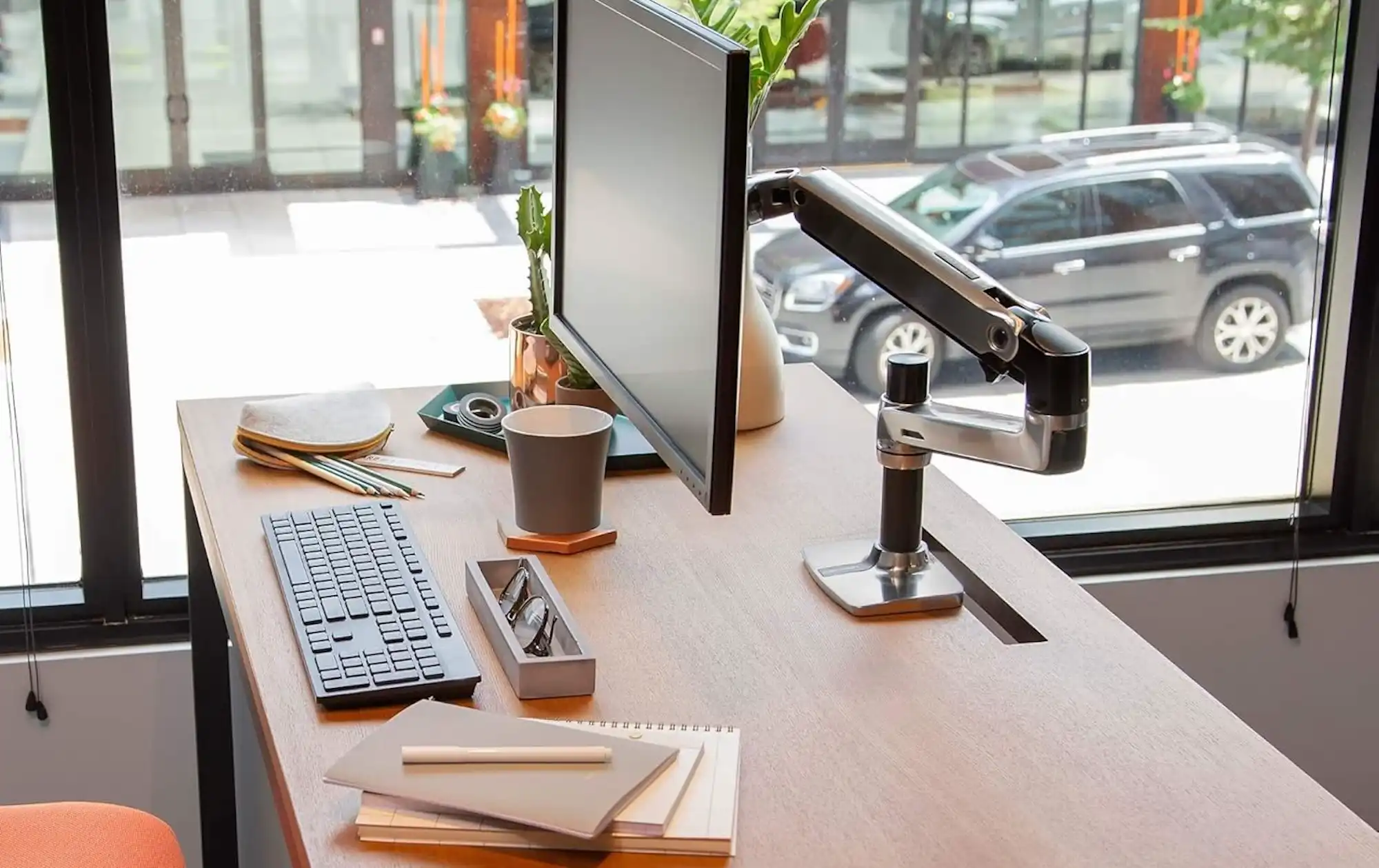
A monitor arm raises your Mac display to proper eye level, eliminates the stock stand that eats desk space, and hides cables for a cleaner setup. Whether you run an Apple Studio Display, a third-party 4K panel, or an ultrawide alongside your MacBook in clamshell mode, the right arm transforms how you work. The top of your screen should sit at or just below eye level, and most stock stands fall short of that target for anyone who isn't unusually short.
At-A-Glance Comparison
The following table summarizes two reliable monitor arm options for Mac users. It compares key attributes for quick reference before diving into the details.
| Attribute | Ergotron LX | VIVO STAND-V001O |
|---|---|---|
| Price Range | Premium (~$180) | Budget (~$40) |
| Max Screen Size | 34 inches | 32 inches |
| Weight Capacity | 25 lbs | 19.8 lbs |
| Warranty | 10 years | 3 years |
| Best For | Heavy displays, all-day use | Lighter monitors, value seekers |
Mac owners who spend hours editing in Final Cut Pro, managing spreadsheets, or writing code need their displays positioned correctly. Neck pain and eye fatigue compound over weeks and months of poor ergonomics. An adjustable arm lets you dial in the exact height and angle without compromise. You also recover the footprint that bulky stands occupy, and that space becomes available for a second display, a Stream Deck, or simply a cleaner surface to think on.
Why Stock Stands Fall Short
Apple's own stands look beautiful, but they offer limited adjustment. The Studio Display stand, for instance, tilts but does not raise or lower beyond a fixed range. If your desk height differs from what Apple's designers assumed, you adapt your body to the hardware rather than the reverse. Over time, that adaptation shows up as tension in your shoulders and discomfort at the base of your skull.
Third-party monitors fare similarly. Most ship with stands that adjust height within a narrow band, and many wobble when touched. A solid monitor arm replaces that entire assembly with something engineered specifically for movement and stability.
The mechanical advantage of a quality arm also matters. Constant-force springs or gas pistons let you reposition your display with a single finger and have it stay put when you release. No knobs to tighten, no screws to adjust. That ease of movement encourages you to actually change positions throughout the day, switching between sitting and standing or shifting for video calls versus focused writing.
Choosing the Right Arm for Your Mac Setup
VESA compatibility comes first. The Video Electronics Standards Association defines mounting hole patterns, and nearly all external monitors follow either 75x75mm or 100x100mm configurations. Apple Studio Display supports 100x100mm. Check your specific display before ordering; the pattern is usually stamped on the back panel or listed in the spec sheet.
Weight capacity should exceed your display's actual weight by a comfortable margin. Apple Studio Display without its stand weighs around 12.5 lbs, so an arm rated for 20 lbs or more provides headroom. Heavier ultrawides can approach 18 lbs or more, so match your arm to your panel.
Build quality separates arms that last a decade from arms that sag within a year. Aluminum construction resists corrosion and looks at home next to Apple hardware. Steel construction costs less and works fine, though it adds heft. The internal mechanism matters most: quality springs or pistons maintain tension over thousands of adjustments.


Affiliate disclosure: some links in this article are Amazon Associate links. If you buy through them, Next Level Mac may earn a small commission at no extra cost to you, and we only recommend products that genuinely bring value to your Mac setup.
The Premium Choice: Ergotron LX
Ergotron pioneered the adjustable monitor arm category decades ago, and the LX remains the benchmark for a reason. Its patented constant-force spring technology provides smooth height adjustment across a 13-inch range. You push the screen up, and it glides. You pull it down, and it stays exactly where you leave it. The mechanism holds position without locking hardware.
The arm extends 25 inches horizontally, letting you push your display out of the way for non-screen work or pull it closer for detailed photo editing. A built-in cable management channel routes power and video cables through the arm itself, keeping them hidden. Integrated clips secure cables at multiple points along the arm's length.
Ergotron backs the LX with a 10-year warranty, which speaks to the durability they expect from their own engineering. For Mac users who invest in premium displays like the Studio Display or Pro Display XDR, this level of build quality matches the hardware being mounted.
Here's where to get the Ergotron LX Monitor Arm in Polished Aluminum (Amazon Affiliate Link): https://www.amazon.com/dp/B00358RIRC?tag=nextlevelmac-20
Installation requires either a desk clamp (included) or a grommet mount (also included). The clamp fits desk surfaces up to roughly 2.4 inches thick and distributes force across a broad area to avoid damage. Position the base near the back edge of your desk, attach the pole, and the arm connects without tools.
The Budget-Friendly Option: VIVO STAND-V001O
VIVO builds monitor arms for a fraction of the premium price, and the STAND-V001O delivers solid performance for Mac users who want proper ergonomics without the investment of a high-end arm. A mechanical counterbalance spring allows toolless height adjustment, and the tension can be calibrated to match your specific display weight.
The arm supports screens from 17 to 32 inches weighing up to 19.8 lbs, which covers most external displays paired with Macs. Full articulation includes +90° to -90° tilt, 180° swivel, and 360° rotation, so portrait orientation for coding or Slack is possible with a quick turn.
Steel construction adds weight but also stability. Cable management clips keep cords organized, though routing is external rather than internal. A heavy-duty C-clamp handles desks up to 3.3 inches thick, and an optional grommet mount ships in the box for those who prefer a cleaner mounting point.
VIVO provides a 3-year warranty, shorter than Ergotron but reasonable for the price. For Mac owners running a 27-inch display in a home office setup, this arm does the job well.
Where you can get the VIVO Single Monitor Arm with Counterbalance (Amazon Affiliate Link): https://www.amazon.com/dp/B01NH0HTM5?tag=nextlevelmac-20
Installation Tips for Mac Users
Position the arm base close to the back edge of your desk to maximize the usable space in front. Most arms require 4 to 6 inches of depth behind the display for the arm mechanism to fold fully. Measure before committing to a spot.
Cable length becomes a factor once your display is mounted on an arm. Apple's included power and Thunderbolt cables are often too short for full arm extension. Measure the cable run from your Mac to the display at maximum arm reach and add slack. A quality Thunderbolt 5 dock can sit on the desk below the arm, reducing cable distance to the display.
Set the display height so the top of the screen aligns with your eyebrow line when you sit with proper posture. Your eyes naturally rest slightly below horizontal, so this position lets you view the center of the screen without tilting your head. Adjust tilt so the display faces you directly rather than angling up toward the ceiling.
If you run a clamshell MacBook setup, place your closed laptop on the desk or in a vertical stand off to the side. The monitor arm then holds your primary display at the correct height while the MacBook stays accessible for its ports.
Accessibility and Clarity
Monitor arms directly benefit users with mobility limitations by eliminating the need to physically move heavy displays. A quality arm repositions with minimal force, often a single finger is enough. This matters for anyone with reduced grip strength or limited arm mobility.
For users with low vision, the ability to pull a display closer without moving the entire desk setup improves readability. Standard stands lock the screen at a fixed distance, but an arm lets the display swing forward when detail work demands it.
Height adjustability also supports standing desk users who transition between seated and standing positions throughout the day. A monitor that follows you up and down reduces the friction of changing postures, which encourages movement and reduces static strain.
Both the Ergotron LX and VIVO arms discussed here include VESA plates with accessible mounting hardware. The Ergotron's tension adjustment is tool-free once calibrated. The VIVO requires a screwdriver for initial setup but operates without tools afterward.

Related Posts
Mac Audio Interfaces: Transform Your Recording Setup
Jan 06, 2026
Mac USB-C Hub Selection: Match Your Dock to Your Workflow
Jan 05, 2026
erfect Your Mac Video Calls with Professional Lighting
Jan 04, 2026