

You bought a Mac with an M-series chip, and suddenly, those game visuals look incredible. The days of struggling to run basic titles are gone, replaced by a reality where Death Stranding, Resident Evil, and the latest Apple Arcade hits run beautifully on your machine. With macOS Tahoe 26.2, Apple has doubled down on this potential, refining Game Mode and improving controller latency to make the experience feel indistinguishable from a console.
Gaming on a keyboard and mouse is great for strategy titles, but for the action-adventure games flooding the Mac ecosystem, you need a controller that feels like an extension of your hand. The right gamepad changes everything—it turns your MacBook Pro or iMac into a legitimate console replacement that you can take anywhere or enjoy at your desk. I have tested the top options available, and these three stand out for their compatibility, comfort, and feature sets that play perfectly with your Apple gear.
Affiliate disclosure: some links in this article are Amazon Associate links. If you buy through them, Next Level Mac may earn a small commission at no extra cost to you, and we only recommend products that genuinely bring value to your Mac setup.
Sony DualSense Wireless Controller
The Sony DualSense is widely considered the gold standard for Mac gaming because of how deeply Apple has integrated support for it. macOS treats this controller as a first-class citizen, often recognizing it immediately via Bluetooth without any complex pairing rituals. The ergonomic design is fantastic, but the real magic lies in the tactile experience; when you play supported titles, the haptic feedback and adaptive triggers add a layer of immersion that other controllers simply cannot match. It charges via USB-C, which means you can use the same cable that charges your MacBook or iPad, keeping your desk setup clean and minimal.
Here's where to get the Sony DualSense (Amazon Affiliate Link): https://www.amazon.com/dp/B094WL86N5?tag=nextlevelmac-20
Connecting the DualSense is straightforward. You put the controller into pairing mode by holding the Create and PS buttons until the light bar flashes, then select it in your Mac's Bluetooth settings. Once connected, you can even customize the button mapping directly in macOS System Settings under the Game Controllers menu. This level of native customization is a huge benefit for users who want to tweak sensitivity or rebind keys for specific games without installing third-party software.
Xbox Core Wireless Controller
For pure reliability and comfort, the Xbox Core Wireless Controller remains the king of the hill. Its asymmetrical stick layout is preferred by many gamers for long sessions, and the textured grip on the triggers and bumpers ensures you never slip during intense moments. The beauty of the Xbox controller on Mac is its seamless compatibility; almost every game developed for macOS supports the Xbox layout by default, meaning on-screen prompts will match exactly what you see in your hands. It is a workhorse that survives drops, spills, and thousands of hours of gameplay, making it perfect for a backpack travel setup.
Where you can purchase the Xbox Core Wireless Controller (Amazon Affiliate Link): https://www.amazon.com/dp/B08DF248LD?tag=nextlevelmac-20
One specific advantage of the Xbox controller is its battery flexibility. It uses standard AA batteries, which means you can swap them out instantly and keep playing without waiting for a charge, or you can use a rechargeable battery pack if you prefer. For Mac users who travel often, tossing a couple of fresh AAs into your bag is often easier than worrying about finding a charging port mid-flight. The Bluetooth connection is rock solid on macOS Tahoe, maintaining a steady link even in environments crowded with other wireless signals.
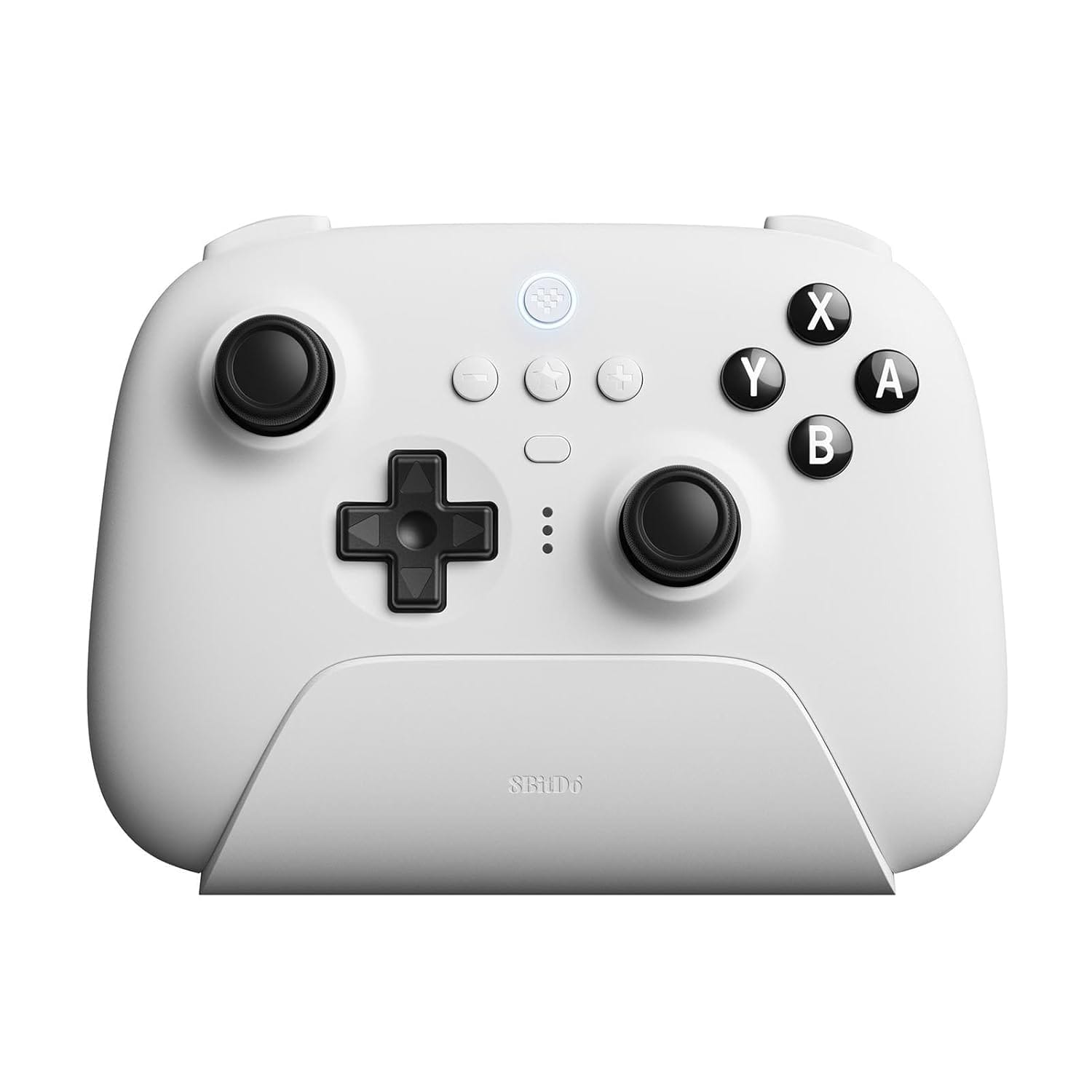
8BitDo Ultimate Bluetooth Controller
The 8BitDo Ultimate Bluetooth Controller is the choice for the enthusiast who wants pro-level features without the pro-level price tag. This controller features Hall Effect joysticks, which use magnets instead of physical contact points to register movement. This technology makes them immune to "stick drift," a common issue where controllers register movement even when you aren't touching them. The included charging dock is a brilliant addition for desk setups; you simply drop the controller on the dock when you are done, and it is fully charged and ready the next time you sit down to play. It looks sleek on a desk next to a Mac Studio or Mac mini, blending in perfectly with a modern aesthetic.
The place to get the 8BitDo Ultimate Bluetooth Controller (Amazon Affiliate Link): https://www.amazon.com/dp/B0B9BDMWWN?tag=nextlevelmac-20
The 8BitDo also offers a high degree of customization through its software, allowing you to adjust stick dead zones and trigger sensitivity to your exact liking. The back paddle buttons give you extra inputs that you can map to face buttons, letting you jump or reload without taking your thumb off the aiming stick. This gives you a competitive edge in fast-paced shooters or action games. Connecting it to your Mac is simple via Bluetooth, and the controller remembers the connection reliably, waking up your game session with a single press.
Optimizing Your Mac Gaming Experience
Once you have your controller, you should take a moment to ensure your Mac is ready to perform. macOS Tahoe includes a dedicated Game Mode that automatically prioritizes game performance for the CPU and GPU while reducing background activity. This mode also doubles the Bluetooth sampling rate for connected controllers, significantly lowering input latency. You will know it is active when you see a game controller icon appear in the menu bar after launching a full-screen game.
You should also keep your controller firmware updated. While macOS handles the drivers, the controllers themselves sometimes need internal updates from the manufacturer. For the Xbox and 8BitDo controllers, you may need to connect them to a PC or use their specific mobile apps occasionally to ensure they are running the latest firmware. This ensures you get the best battery life and connectivity stability possible.
Finally, consider your audio setup. While the controllers are great, pairing them with a low-latency headset completes the immersion. Since Game Mode also reduces audio latency for AirPods, wearing your AirPods Pro while holding one of these controllers creates a private, high-fidelity gaming sphere that rivals any dedicated console. It is a perfect way to unwind after a day of work, right on the same machine you used to finish your projects.
The links in the document you provided are already direct Amazon affiliate links (https://www.amazon.com/dp/[ASIN]?tag=nextlevelmac-20). If you're seeing them wrapped in Google search URLs elsewhere, those correct links above should work properly!

Related Posts
Mac Gaming Keyboards: Best Mechanical Options for Tahoe
Jan 03, 2026
Unlock Mac Gaming Performance with Game Mode in macOS Tahoe
Dec 23, 2025
Boost Your Mac's Sound: The Best Minimalist Desktop Speakers
Dec 14, 2025