
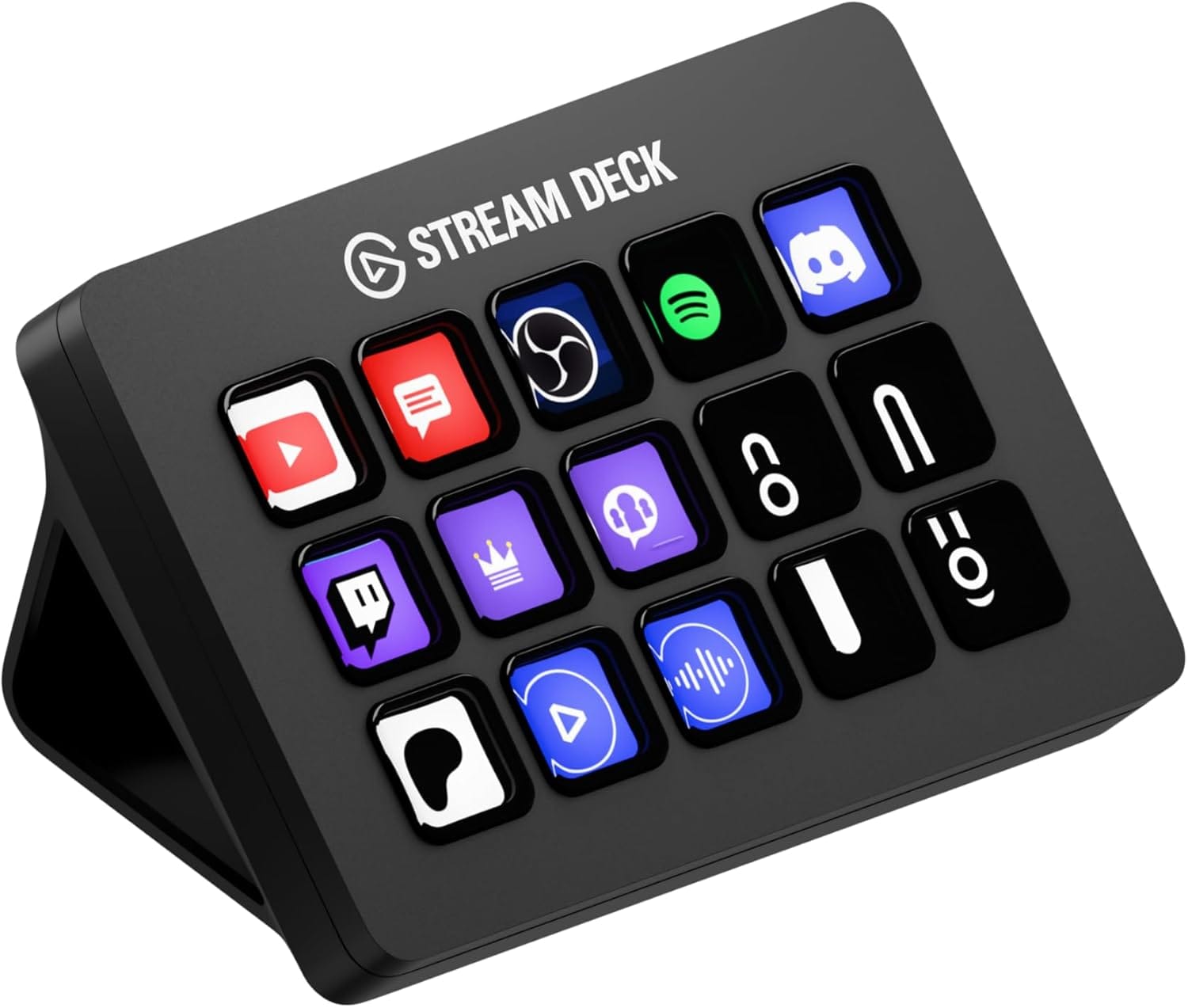

I used to drown in keyboard shortcuts. My fingers were constantly performing gymnastics just to mute a microphone, launch a specific set of apps, or resize a window. You know the feeling: you are in the flow, and suddenly you have to break your concentration to hunt for a menu item or remember which three-key combination triggers your screenshot tool.
That friction disappears the moment you add a dedicated control surface to your desk. While many people see the Elgato Stream Deck as a toy for Twitch streamers and gamers, I see it as the single most powerful productivity upgrade you can buy for your Mac. It is a customizable physical interface for your digital life, and once you set it up, you will wonder how you ever managed macOS without it.
Affiliate disclosure: some links in this article are Amazon Associate links. If you buy through them, Next Level Mac may earn a small commission at no extra cost to you, and we only recommend products that genuinely bring value to your Apple setup.
Why the Stream Deck MK.2 Belongs on Your Desk
You might think a grid of 15 glowing buttons looks out of place next to a sleek MacBook Pro or a Studio Display. I thought so too, until I realized what those buttons actually represent. Each key is a direct link to an action you perform dozens of times a day. Instead of digging through the Dock or remembering complex hotkeys, you simply press a button.
The Stream Deck MK.2 is the sweet spot in the lineup. It features 15 customizable LCD keys that can display custom icons, giving you immediate visual feedback. You can create folders within folders, giving you infinite capacity for actions, but the 15-key layout is perfect for a main dashboard. It connects via USB-C (though the cable is integrated into the device on this model, it is durable and long enough for most setups) and sits at the perfect angle on its included stand.
The real magic happens when you customize the faceplate or the icons to match your setup. It stops looking like a piece of gaming gear and starts looking like a professional control panel for your Mac. I use mine to trigger complex Keyboard Maestro macros, control my Philips Hue office lighting, and even run Apple Shortcuts that tidy up my desktop files.
Where you can get the Elgato Stream Deck MK.2 (Amazon Affiliate Link): https://www.amazon.com/dp/B09738CV2G?tag=nextlevelmac-20
Native Mac Integration That Changes Everything
The secret to unlocking the power of this device lies in its software. Elgato has done an incredible job integrating with macOS. You aren't just limited to launching apps. You can trigger System Actions like sleep, display brightness, and volume control directly.
One of my favorite uses is the "Zoom Mute" toggle. We have all been in that moment of panic where you can't find the mute button fast enough. With a Stream Deck, you can map a dedicated button to toggle your microphone system-wide or specifically within Zoom or Teams. The icon changes from a green microphone to a red slashed microphone, so you always know your status with a quick glance.
For the creative pros, the integration with apps like Final Cut Pro and Logic Pro is a game-changer. You can map tools like "Blade," "Snapping," or specific export presets to physical buttons. This allows you to keep your eyes on the timeline and your hands on the controls, speeding up your edit significantly.
Building Your "Deep Work" Profile
I recommend setting up a specific profile for "Deep Work." The Stream Deck allows you to switch profiles automatically based on the app you are using, but you can also switch them manually.
On my Deep Work profile, I have removed all distractions. There is a button to enable "Do Not Disturb" on my Mac (via a Shortcut), a button to launch my "Lo-Fi Focus" playlist in Apple Music, and a button to start a Pomodoro timer. Having these physical controls makes the ritual of focusing feel more tangible. You press the button, the lights in your room dim, your music starts, and your notifications are silenced. It is a powerful psychological trigger that tells your brain it is time to work.
Automating the Mundane
You can also use the Stream Deck to handle text expansion. If you find yourself typing the same email replies, Zoom links, or code snippets repeatedly, you can map them to a button. Press one key, and the Stream Deck types out the entire paragraph for you instantly.
This is distinct from software-based text expanders because you don't need to remember a keyword. You just see the icon—maybe a "Reply to Pitch" envelope or a "Meeting Link" calendar icon—and tap it. It reduces the cognitive load of remembering triggers, leaving your brain free to focus on the content of your work.
A Future-Proof Workflow
As we look toward 2026, the integration between hardware and software is only getting tighter. With the rise of macOS features that rely on quick actions, having a dedicated board for them puts you ahead of the curve. Whether you are controlling your smart home via HomeKit integration (using the Elgato Control Center plugin) or managing your window layout with tools like Magnet or Moom, the Stream Deck becomes the conductor's baton for your entire digital orchestra.
It is rare to find a gadget that genuinely saves you time every single day. The Stream Deck MK.2 is one of those rare tools. It bridges the gap between intention and action, removing the friction that slows us down. Once you have one, you will never want to go back to a plain keyboard again.

Related Posts
Master Mac Focus Modes for Distraction-Free Work
Dec 30, 2025
Mac PDF Editing: Native Tools and Pro App Workflows
Dec 29, 2025
How to Use macOS Tahoe Writing Tools for Mac Productivity
Dec 27, 2025