
Language barriers used to mean carrying phrase books or fumbling with translation apps while trying to have a conversation. iOS 26.2 changes that by bringing Live Translation to a wider range of AirPods, making real-time language assistance as simple as wearing your earbuds.
The feature works by combining voice isolation, active noise cancellation, and beamforming microphones to process speech in one language and deliver translations directly into your ears while showing text on your iPhone screen. What makes this different from other translation tools is how natural it feels in actual use.
When you activate Live Translation, your AirPods pick up the conversation around you, process it through Apple's language models, and deliver both audio translations in your ears and text on your screen. The person you are talking to speaks their language, you hear it translated, and you respond in yours.
This is not just for international travel. Live Translation helps in multilingual workplaces, when assisting customers who speak different languages, or any time you need to communicate clearly across language barriers without constantly stopping to type into an app.
The key to making this work well is having AirPods that can handle the audio processing demands. The H2 chip in AirPods Pro 3 was built for this, with the power to run voice isolation and active noise cancellation while also handling translation tasks in real time.
Affiliate disclosure: some links in this article are Amazon Associate links. If you buy through them, Next Level Mac may earn a small commission at no extra cost to you, and we only recommend products that genuinely bring value to your Apple setup.
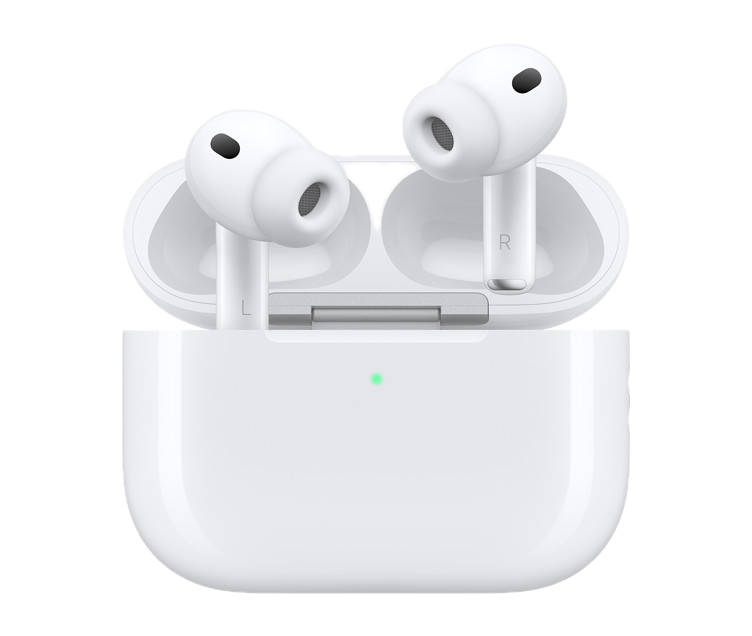
Apple's AirPods Pro 3 deliver the full Live Translation experience with their advanced H2 chip, improved active noise cancellation that blocks twice as much unwanted noise as the previous generation, and spatial audio that makes translations feel more natural. The earbuds also include heart rate sensing and hearing health features, making them useful beyond just translation tasks.
Here's where to get the Apple AirPods Pro 3 Wireless Earbuds with Live Translation support https://www.amazon.com/dp/B0FQFB8FMG?tag=nextlevelmac-20&gbOpenExternal=1
iOS 26.2 brings Live Translation to additional AirPods models beyond just the Pro 3, though the exact list of supported models depends on the chip inside. AirPods with the H2 chip get the full feature set, while older models may have more limited support or require you to keep your iPhone nearby for processing.
To use Live Translation, you need iOS 26.2 or later on your iPhone, compatible AirPods, and an active internet connection for the initial setup and download of language packs. Once you download languages for offline use, the feature works even when you are not connected, which is crucial for travel in areas with spotty service.
The interface is straightforward. Open the Translate app on your iPhone, select the languages you want to translate between, then put in your AirPods. The app automatically detects when AirPods are connected and offers to use Live Translation mode. From there, it listens continuously and translates in real time.
You can adjust the volume of the translated audio independently from other sounds, which helps when you are in noisy environments. The text display on your iPhone screen stays visible so you can review what was said if the audio translation was unclear or if you need to show the text to someone else.
Live Translation works best in one-on-one conversations or small group settings where people take turns speaking. In large, chaotic environments with multiple overlapping conversations, the feature can struggle to isolate individual speakers and may deliver fragmented translations.
The supported languages include major options like Spanish, French, German, Italian, Portuguese, Japanese, Korean, and Mandarin Chinese, with more being added over time. Apple has not released a complete list yet, but the focus is on widely spoken languages first.
One practical use case is international business meetings. Instead of relying on a human translator or asking everyone to speak English, you can participate naturally in your own language while Live Translation handles the rest. The text on screen also serves as a record of the conversation that you can reference later.
Another use is helping family members or friends who are not fluent in English navigate situations like doctor visits, legal appointments, or government services. With Live Translation running, they can speak their native language and understand responses in real time without needing a third person to interpret.
Travel is the obvious application. Ordering food, asking for directions, or having casual conversations with locals becomes much easier when you are not fumbling with a phone screen between sentences. The audio in your ears keeps the conversation flowing naturally.
There are some limitations to be aware of. Live Translation requires a relatively quiet environment to work well. Loud background noise, wind, or multiple people talking at once can confuse the voice isolation and lead to inaccurate translations. If you are outdoors on a windy day or in a crowded market, expect mixed results.
The feature also works better with clear, standard speech. Heavy accents, regional dialects, slang, and idioms can throw off the translation engine, resulting in awkward or incorrect output. The more formal and clear the speech, the more accurate the translation will be.
Battery life takes a hit when using Live Translation continuously. The combination of active noise cancellation, voice isolation, and translation processing drains power faster than just listening to music or making calls. If you plan to use it for extended periods, keep a charging case handy or use it in short bursts to preserve battery.
Privacy is handled on device as much as possible. Apple processes translations locally when you have downloaded language packs for offline use, meaning your conversations are not sent to servers. When you need real-time translation of languages you have not downloaded, your speech is processed through Apple's servers with end-to-end encryption.
Setting up Live Translation before a trip saves time and improves the experience. Download the language packs you need while you are still on Wi-Fi at home, test the feature in a quiet room to make sure it works as expected, and adjust the audio volume levels so translations are clear without being too loud.
You can also customize which languages appear in the quick-access menu within the Translate app. If you regularly switch between English and Spanish, for example, keep those two at the top of the list for faster access when you need to start a conversation.
Live Translation is not perfect, but it represents a significant step forward in making real-time language assistance practical for everyday situations. The fact that it works through earbuds you are already wearing, without needing to hold a phone between you and the person you are talking to, makes a real difference in how natural the conversation feels.
For anyone who travels internationally, works in multilingual environments, or wants to help family members who speak different languages, iOS 26.2's Live Translation feature is worth exploring. It turns a tool you already own into something much more useful than just a way to listen to music or make phone calls.
The key is setting it up properly, understanding its limitations, and using it in situations where it makes sense. When you do, it can transform difficult communication situations into conversations that feel almost effortless.